A year with ViewQwest's 10Gbps broadband
Wed, Dec 31, 2025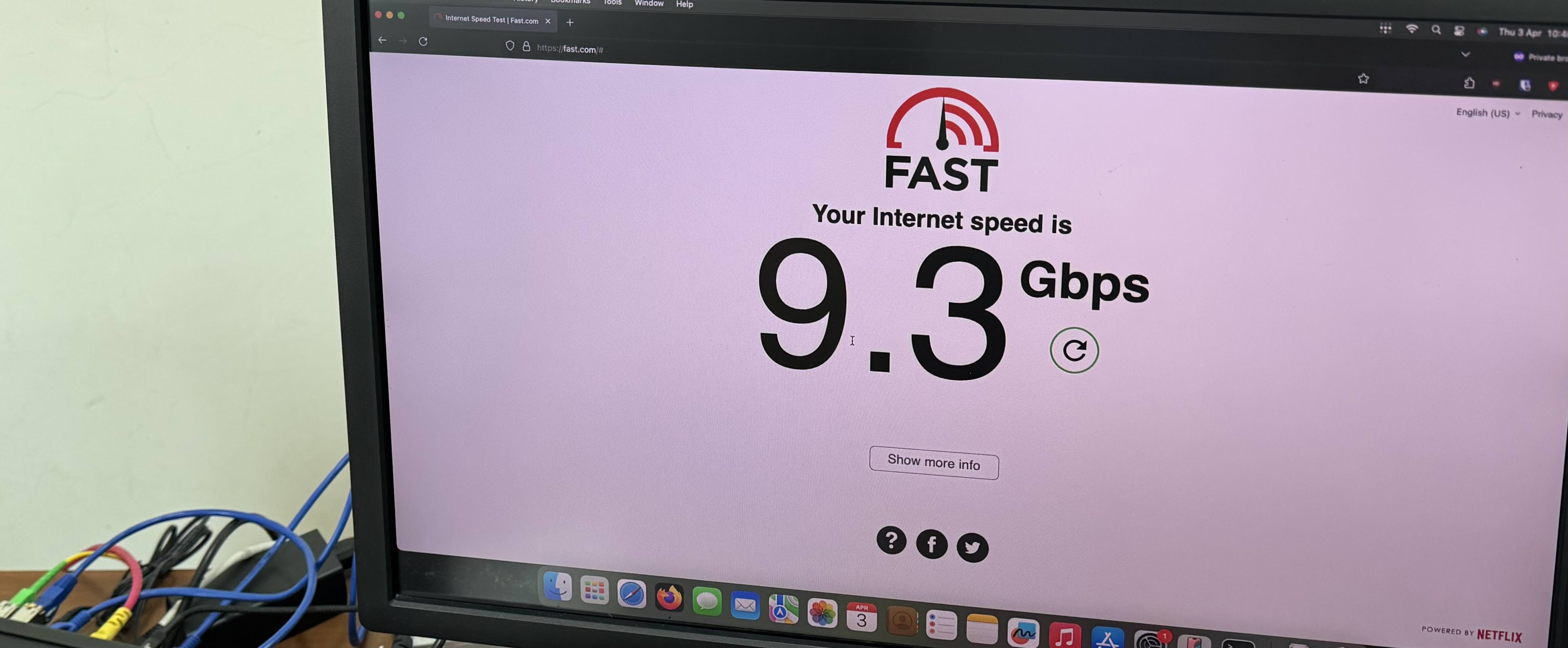
I still find it unreal that 10Gbps internet access at a reasonable rate is a thing, but here we are!
It’s been a year since I switched up to a 10Gbps broadband line from ViewQwest (“VQ”). They’re not bad, but have some unironed wrinkles. Here’s my experience with them.
In brief
For most folks:
- VQ prices are reasonable, but intentionally misleading
- For day to day use, their service works, and the uptime is fine
- They will pick up your support calls quickly, but they typically can’t handle technical questions
- You will need to unsubscribe from their garbage add-ons, but it’s not as egregious as, say, SingTel. (Friends don’t let friends sign up for SingTel)
- They will hand you an ONU device that you must return in order to terminate the service
- Apparently their exit process can be difficult [1], though I am not sure how that compares with other ISPs
For technical folks:
- VQ is the only provider here that officially supports a SFP module
- IPv6 is finally available! They’ll provide a static /56 on request, for free
- Even without applying for a static IPv4 address, they’ll provide a proper, non-CGNAT IPv4 address
It’s reasonably cheap
This 10Gbps line costs about S$40 (~US$32) per month, for a two-year contract.
The marketing material loudly proclaims S$30/month, but the fine print will indicate that S$30 applies for the first 10 months of your 24 month contract. It’s a dirty trick, and I wish they didn’t do that. [2]
Here’s a comparison across other local ISPs for their cheapest 10Gbps broadband services. Some providers insist on bundling potentially unnecessary hardware, so that’s on them if their prices appear higher than they should be.
WhizzComms: $691.2 = $28.80 × 24 (10gbps-NF-24m)
SIMBA: $719.76 = $29.99 × 24 (FBB012)
ViewQwest: $930 = $38.75 × 24 (VQ-X)
M1: $957.6 = $39.90 × 24 (HOMEPAC_10GBPS_24)
MyRepublic: $1151.76 = $47.99 × 24 (no-frills-hyperspeed-10gbps)
Starhub: $1424.16 = $59.34 × 24 (ultraspeed-10gbps-wifi-7_UltraSpeed)
SingTel: $1581.6 = $65.90 × 24 (ATL-10Gbps-GA)
Prices in SGD, correct as at 2025/12/30
It works
The internet service generally “just works” and for most parts, I don’t notice it. For the past year, I’m thankful that I haven’t had to periodically restart any devices or run into downstream issues that require their intervention.
Their infrastructure is capable of hitting the theoretical 8Gbps limits on speed tests; apparently XGS-PON is marketed as 10Gbps, but really maxes out at about 8Gbps [3]. Latencies are less than 2ms when the network isn’t loaded, and rise to about 10ms when loaded.
Apart from a single high-profile weekend outage that solely affected VQ, there hasn’t been any other memorable incidents for this year. There are occasional small outages, some of which are probably scheduled. They haven’t affected me much, and I’m only aware because UniFi hardware sends out notifications when the network goes down.
Support is.. middling
I’ve had to call VQ a few times,
- The first was for provisioning the SFP hardware after it arrived in the mail. This was something that they were trained for, and it went quickly and smoothly.
- The second was about IPv6. The triage team was confused, as were the first level techs that I was handed off to. Eventually, someone qualified called me back about this issue.
- The third was about an extended weekend outage. Their lines were saturated and the call wasn’t answered.
VQ has a triage team based in the Philippines that will answer your call very quickly, so there’s almost no hold time unless there is a major outage. If the triage team doesn’t solve the issue at hand, they will then transfer the call to their Kuala Lumpur operations team. They are nice enough to minimize waiting times, so if they can’t get you an answer immediately, they will arrange a call back when they have a resolution.
As far as I know, VQ does not have a functional status page, In my experience, they are awful when it comes to communications during outages since their phone lines are the only real way to get in touch with them.
SFP Modules!!

VQ is the only local provider that officially supports a SFP module, and this is also my primary reason for selecting them. They’ll let you buy, own and use a Huawei OptiXstar S800E module on their network for S$100.
Using a SFP module is a personal preference and isn’t mandatory, however I prefer the SFP option over the default ONU device for a few reasons:
- It’s tiny, and fits right into the SFP socket in the router so it occupies almost no space. It’s as though the router directly accepts a fiber connection to the termination point.
- One less power supply to deal with
- Saves 1U if it’s on a rack
- 10Gbase-T runs hot
- This isn’t important, but I think it looks cool :^)
It might be possible to use other XGSPON modules (e.g. via cloning SN) but I’m not comfortable with the uncertainty that the ISP might block a cloned device someday if it doesn’t respond as expected to management commands or firmware updates.
I’ve personally tried the S800E module on these devices:
UniFi (UDM SE i.e. UDM Pro with PoE) Plug and play, automatically detected, painless.
OpenWrt x86 + Mellanox ConnectX-3 (kmod-mlx4-core) Also automatically detected and works fine, no complaints.
BananaPi-R4 (OpenWrt, sfp driver from the linux kernel) This is my current setup, and at about S$200, it’s also probably the most cost-effective 10Gbps router option. However, it was a struggle to get it running because of some quirks from the S800E. A brilliant guy by the handle “glassdoor” on the BPI forums has developed a software-only fix for the S800E. I’m still running with a “temporary” hardware hack, by borrowing an EEPROM from the disposable 2016 NDP bracelets, so that I could remain on a stock, unmodified firmware image.
The S800E has also been reported by Zit Seng to be working on the MikroTik RB4011. That same post also touches on his perspective of ViewQwest and I think it’s a interesting and complementary read.
Good IPv6
After about a decade, IPv6 is finally generally available on VQ, although you have to manually write in to request for that. VQ provides a static /56 block, and based on this very passionate rant on reddit, VQ’s IPv6 implementation is pretty good relative to the others. You’ll have to write in to residential.support@viewqwest.com with your registered details, and someone will get back to you with your new IPv6 block.

I was attended to by Francis; full time Technical Support Engineer, part time DHCPv6 server.
Configuration was straightforward, though I struggled for a while as the route wasn’t announced until the day after their email. Here’s a snippet of what the OpenWrt configuration (/etc/config/network) would look like after applying the new IPv6 values:
...

config interface 'wan6'
        option device 'br-wan'
        option proto 'static' # No dhcp since it's static
        list ip6addr '2001:d98:...../64' # "WAN" field in VQ's email
        option ip6gw '2001:d98:.....::1' # "WAN Gateway" field
        option ip6prefix '2001:0d98:.....::/56' # "LAN" field
        list dns '2606:4700:4700::1111' # prefer 1.1.1.1
        list dns '2001:4860:4860:0:0:0:0:8888' # prefer 8.8.8.8
Decent IPv4
This isn’t explicitly advertised or guaranteed to remain unchanged in the future, but VQ provides a proper, non-CGNAT IPv4 address for 10Gbps plans by default.
CGNAT is nasty since servers with IP-based rules can no longer differentiate between clean users and malicious actors such as attackers or compromised hosts. Since CGNAT IPs are almost always dirty, users behind that often run into more blocked services and captcha checks.
VQ also offers a paid static IPv4 addon service, which used to be available for free a while ago. Ever since Tailscale became a thing, I haven’t had a need for static public IP addresses for my home network, so I did not sign up for that.
Would I recommend them?
For tech oriented folks? Yes. For aunties/uncles/relatives? Maybe?
It’s easier to work backwards to figure out why VQ worked for me:
SingTel, Starhub, M1: These trio were the de-facto oligopoly for the longest time and they’re still riding off that inertia. They’re almost always the most expensive and bundle a lot of hidden charges that only show up a few months later. I sometimes point the older folks to M1, which IMO is the least evil of the three. ST/SH are a hard no.
MyRepublic: It’s Starhub, but purple, so no (acquisition was completed this year). They used to be independent and decent, sort of like VQ.
SIMBA: Very tempting; attractive and transparent pricing, but as far as I know, IPv4 goes through CGNAT. I’m not ready to deal with the subpar experience from extra captchas, mystery bans etc. Their service is still very affordable and they have a significant brand presence, so this would likely be my auntie/uncle/relative recommendation.
WhizzComms: Also clear and attractive pricing, but they claim to run off SingTel’s network. Word is that SingTel charges for peering so their routes are generally inferior. AS135600 (belonging to WhizzComms) appears to only peer with AS9506 and AS3758, both belonging to SingTel, further exacerbating this issue.
Here’s an example of a traceroute from my network to a WhizComms address; observe that the route goes through StarHub first, then SingTel, then finally arriving at WhizzComms.
  1     1 ms     1 ms     2 ms  OpenWrt.lan [192.168.1.1]
  2     3 ms     2 ms     3 ms  x.x.x.x : bogon
  3     5 ms    14 ms     5 ms  x.x.x.x : AS18106 Viewqwest Pte Ltd
  4     8 ms     3 ms     2 ms  x.x.x.x : AS18106 Viewqwest Pte Ltd
  5     6 ms     3 ms     3 ms  202.156.57-29.unknown.starhub.net.sg [202.156.57.29] : AS4657 Starhub Ltd
  6    12 ms    12 ms    13 ms  165.21.193.197 : AS3758 SingNet
  7     5 ms     4 ms     3 ms  SN-SINQT1-BO307-ae4.singnet.com.sg [165.21.138.82] : AS3758 SingNet
  8     6 ms     6 ms     8 ms  165.21.138.242 : AS3758 SingNet : AS9506 Singtel Fibre Broadband
  9     9 ms     6 ms     6 ms  103.67.169.134 : AS9506 Singtel Fibre Broadband
 10     5 ms     5 ms    10 ms  38.29.152.60 : AS135600 Whiz Communications Pte Ltd
 11     5 ms    11 ms     9 ms  38.29.152.1 : AS135600 Whiz Communications Pte Ltd
This would be relevant if, say, you were playing a multiplayer game (that establishes peer-to-peer connections) with your local friends. The above example shows how contrived the route can be, going through the grand tour of our local ISPs, even if your friends might be connecting from the same physical neighborhood.
ViewQwest: There’s no guarantee that enshittification won’t get to them, and they have their own wrinkles, but I’m generally positive about their service right now. If things change in the future, I might come back here to add a note.
[1] Anecdotal, but I’ve heard of incidents where VQ requires you to return their consumer-premise-equipment to them in Kuala Lumpur (across countries) to begin the termination process
[2] Proper regulations are the real solution to this issue, but we (SG) are still a developing country with regard to consumer laws.
[3] About 700 floppy disks per second, in imperial units